Every Work Hour, Tracked and Proven
A lightweight desktop agent records work hours and periodic screenshots. Ten views turn that into answers: timelines, galleries, charts, heatmaps, comparisons and alerts, all filtered by Nepali month.
- No credit card
- Quick set up
- Free onboarding
What is employee activity tracking software?
Activity tracking software records how working time is actually spent and turns it into a report a manager can read. In NepalHRM a lightweight desktop agent, installed openly on the employee's own machine, records work hours, periodic screen captures and idle time, then syncs them to the Activity Tracker dashboard. The recording happens on the machine and the reporting happens in the browser, so neither side depends on anyone filling in a timesheet.
- Ten built-in views take you from a company-wide overview down to a single agent's live status.
- Every report filters on the Bikram Sambat calendar, so a month means the month your payroll runs on.
- Reports export to Excel, PDF, CSV and a detailed CSV, so the numbers can leave the tool.
- The agent is WorkPulse, the same Windows and macOS build published on the NepalHRM download page.
Last updated · Reviewed by Rajendra Regmi, Co-founder
Powerful reporting and monitoring features
- 10 Views
- From overview to detailed agent status
- BS Months
- Filter every report on the Nepali calendar
- 4 Formats
- Export to Excel, PDF, CSV & Detailed CSV
- Desktop App
- Lightweight agent with live status
Work You Pay For but Never See
Teams split across offices, homes and client sites. The only signal is a green dot on chat, and the only report is a guess.
- No record of hours actually worked outside the office
- Client billing disputes with nothing to show for the hours
- Overload and idle time both invisible until someone burns out or quits
- Reports assembled by hand at month end, from memory
Proof of Every Hour, Collected for You
The desktop agent does the recording and the tracker does the reporting. You just pick the month and the view.
What NepalHRM gives you
- Work hours and periodic screenshots recorded by the desktop agent, installed openly
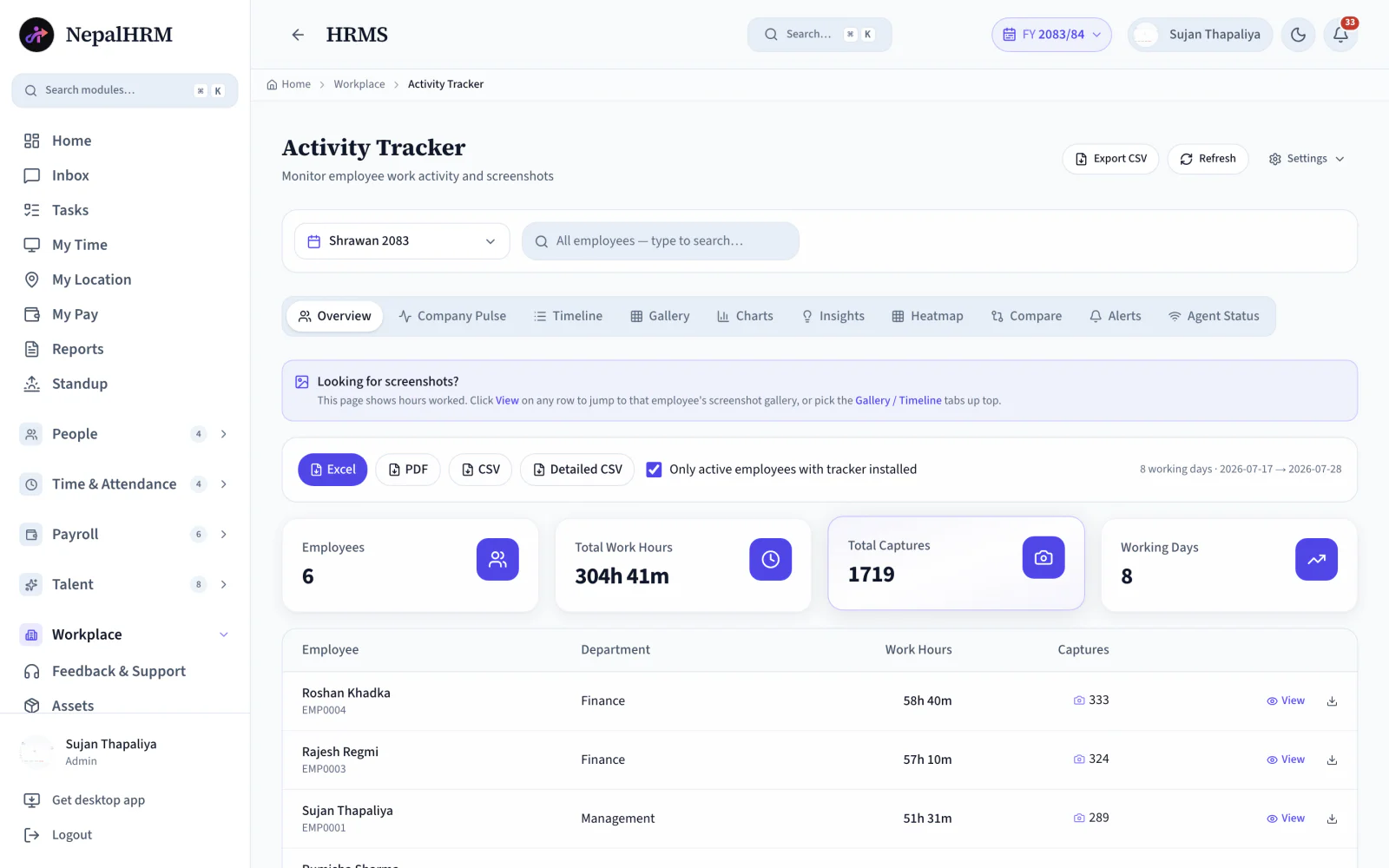
- Overview totals up top: employees, total work hours, captures, working days
- Click View on any row to jump straight to that employee's screenshot gallery
- One-click Excel, PDF, CSV or Detailed CSV for any month and team
Ten Powerful Views of Every Workday
Every tab answers a different question, from who is online right now to how this month compares with the last.
Overview
Employees, total work hours, total captures and working days for the month, with hours per person below.
Company Pulse
The live picture: who is active right now and how the day is moving across the whole company.
Timeline
Each person's day laid out hour by hour, so you can see when work started, paused and ended.
Screenshot Gallery
Periodic screenshots per employee. Click View on any overview row to jump straight to their gallery.
Charts
Work hours plotted over days and weeks, per person or per team, ready for a screenshare.
Insights
The month read for you: trends, outliers and gaps you would otherwise dig for by hand.
Heatmap
Activity intensity by day and hour. Overload and idle patterns show up as colour, instantly.
Compare
Two employees or two months side by side, for reviews, staffing calls and client reports.
Alerts
Exceptions surface on their own: missing hours, unusual patterns, agents gone quiet.
Agent Status
Who has the desktop tracker installed, online and reporting, so you can trust the numbers.
BS Month Filter
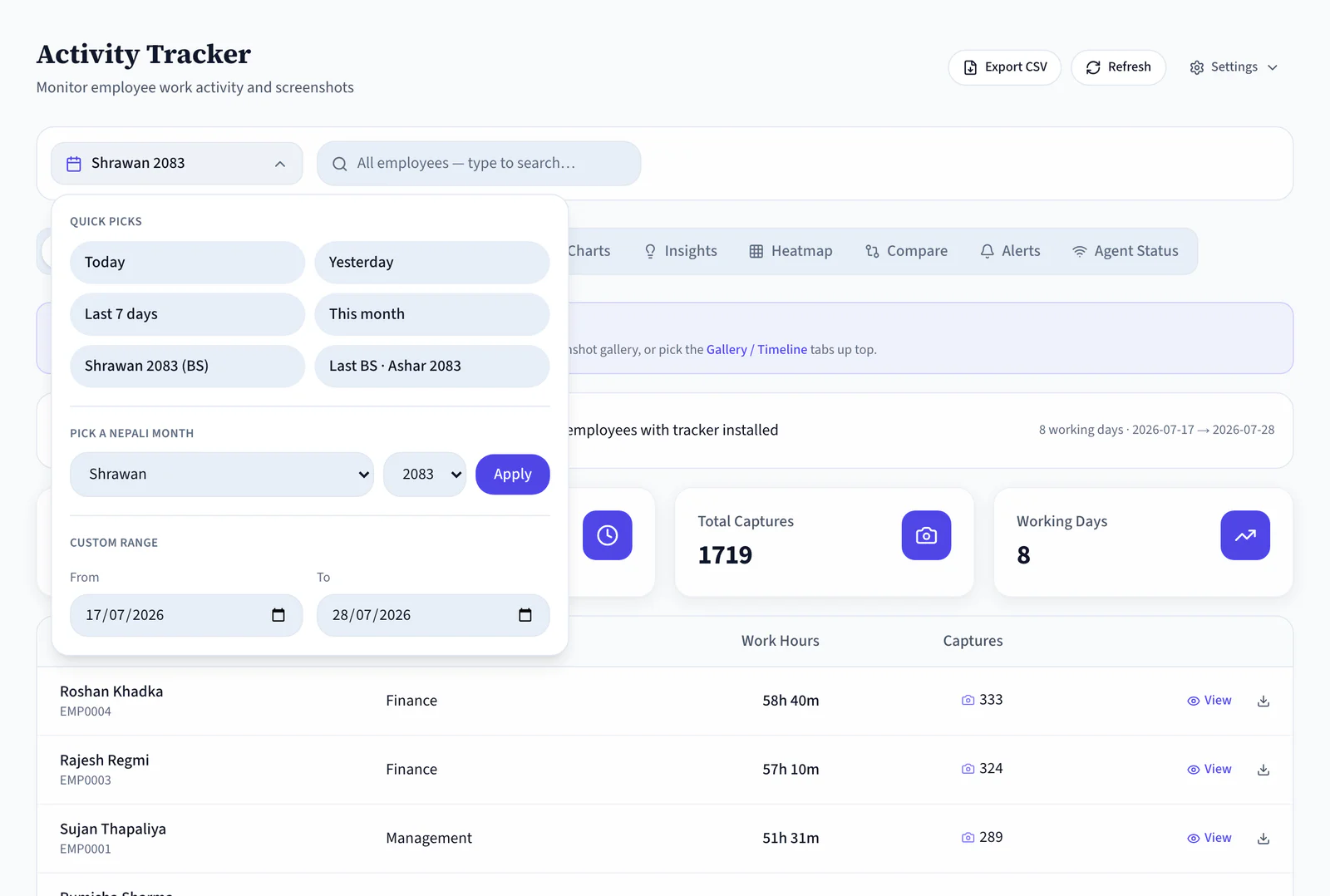
Pick any Nepali month (Shrawan 2083) and every view, count and export follows it.
Four Export Formats
Excel, PDF, CSV or Detailed CSV in one click, scoped to active employees with the tracker installed.
From First Capture to Month-End Report
The agent works quietly in the background, and the tracker turns its data into a report you can hand to a client or a CFO.
- 9:04 AM
Agent Starts
The employee begins work, and the desktop app starts counting hours and taking periodic captures.
- All day
Data Flows In
Hours, captures and activity stream into the tracker. Company Pulse shows the live picture.
- Any moment
You Check In
Overview for totals, a gallery for evidence, the heatmap for patterns. Nobody is interrupted.
- Month end
One-Click Report
Excel, PDF, CSV or Detailed CSV for the Nepali month, ready for payroll, clients or the board.
Move Beyond Guesswork Without Losing Trust
A good tracker should replace guessing, not build suspicion. NepalHRM keeps every hour visible, evidenced and exportable before anyone has to argue about it.
Manual Tracking
- Hours reported from memory at month end
- Client billing backed by nothing but trust
- Overload and idle time invisible until it hurts
- Reports assembled by hand, reformatted before use
Install Once, Get Answers Every Day
The agent handles the collecting and you handle the questions. Fully auditable. Zero spreadsheets.
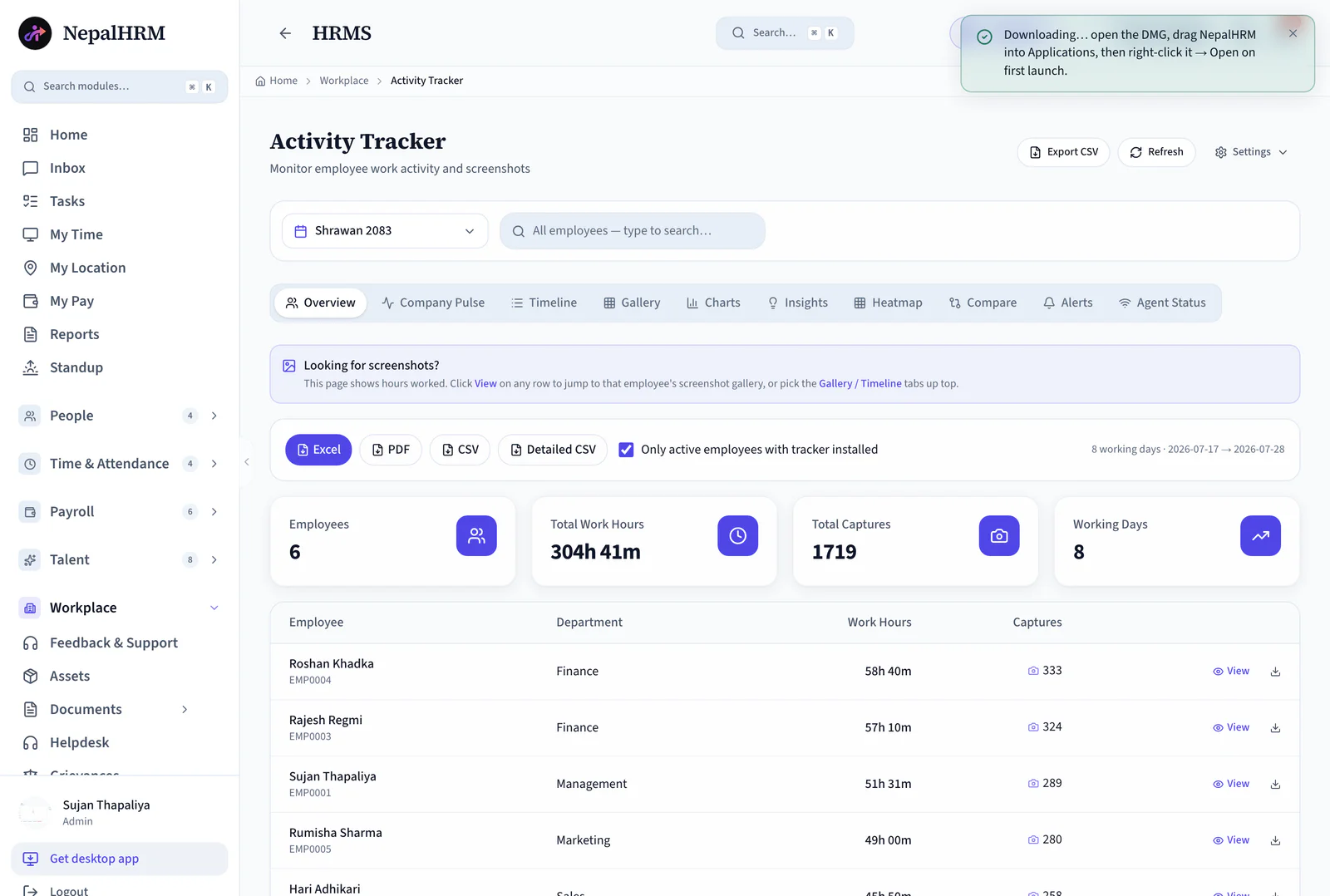
- Put it on each employee's computer, straight from the Get Desktop App link in NepalHRM.
- In Settings, choose capture frequency and which teams are tracked. Employees know the agent is installed.
- Confirm who is installed, online and reporting before you rely on the numbers.
- One checkbox scopes every report to people who actually have the tracker installed.
- Choose a Nepali month such as Shrawan 2083, and search any employee by name.
- Read hours per person, then click View on a row to jump into that person's screenshot gallery.
- Company Pulse for the live picture, Heatmap for patterns, Compare for people or months side by side, Alerts for exceptions.
- Excel, PDF, CSV or Detailed CSV, scoped to the working days currently in view.
One Download per Computer
Any Nepali Month, Any Person
One Tracker, Clear Answers for Every Team
Managers see workload, HR sees fairness, and finance sees billable evidence.
For Managers
Balance the load before it breaks
- Company Pulse shows who is active right now
- The heatmap reveals overload and idle patterns by day and hour
- Compare two people or two months side by side
For HR
Fair records, not impressions
- Hours per person per Nepali month, on the record
- Alerts surface exceptions instead of manual checking
- Insights read the month for you: trends, outliers, gaps
For Finance & Clients
Billable hours with receipts
- Screenshot galleries back every billed hour
- Excel and PDF exports ready for client statements
- Detailed CSV for anything your own tools need
Activity Tracking Built for Every Business in Nepal
Especially loved by teams that bill by the hour or work far from the office, across every industry.
The Tracker Connects Every Module
Recorded hours are only useful when they reach the places that need them: the attendance record, the payroll run and the performance conversation.
Download WorkPulse
The lightweight agent that records hours and periodic captures on Windows and macOS.
Attendance & Biometric
Office punches from biometric devices sit beside remote hours from the agent, in one attendance picture.
Payroll Software
Monthly hour totals per Nepali month are exportable straight into the payroll conversation.
Performance Management
Workload patterns give managers real context before a 1:1 or an end-of-period review.
Employee Management
Every tracked employee, team and department follows the same records the rest of HR runs on.
Reports & Exports
Excel, PDF, CSV and Detailed CSV, scoped to the month, the search and the active-employee filter.
Task Management
Tracked hours mean more next to the task they were spent on: assign the work, then read the time against it.
Activity Tracker is one module of the all-in-one HR software for Nepal, so an employee is created once and every module above reads the same record.
Simple, Transparent Pricing
No Hidden Fees
NepalHRM gives you enterprise-grade HR software at a price built for Nepali businesses of every size.
- All core HR modules
- Nepal payroll compliance
- PF, SSF, CIT & eTDS
- Biometric integration
- Free onboarding support
- Regular feature updates
- Multi-company support
- BS + AD calendar
Free trial available, no card required · No setup fees · Cancel anytime
The Agent on the Desktop, the Answers Everywhere
The desktop app records quietly, while reports, galleries and alerts are with you on the web and on mobile.
Frequently Asked Questions
Everything you need to know about activity tracker in NepalHRM before you get started.
Work hours and periodic screenshots, collected by the desktop app installed on each employee's computer. The Overview shows hours, and the Gallery and Timeline show the captures behind them.
Yes. The agent is installed openly on work machines, its status is visible, and reports can be filtered to only active employees with the tracker installed. Transparency is the point: the same record protects both sides.
Yes. The month picker works in Bikram Sambat, for example Shrawan 2083. Every tab, count and export follows the selected month and its working days.
Click View on their row in the Overview to jump straight to their screenshot gallery, or open the Gallery and Timeline tabs and search by name.
Excel, PDF, CSV and Detailed CSV, one click each. Exports respect the current month, the search and the active-employees filter, so what you see is what you send.
The Agent Status tab shows who has the tracker installed, online and reporting, and Alerts flag agents that go quiet, so gaps are visible before they become disputes.
Stop Guessing What the Team Did. Start Seeing the Workday
Join hundreds of Nepali businesses that have already moved from manual HR to NepalHRM. Your team deserves better than Excel, and your clients deserve better than estimates.
- No credit card
- Free onboarding
- Set up in one day
- Cancel anytime