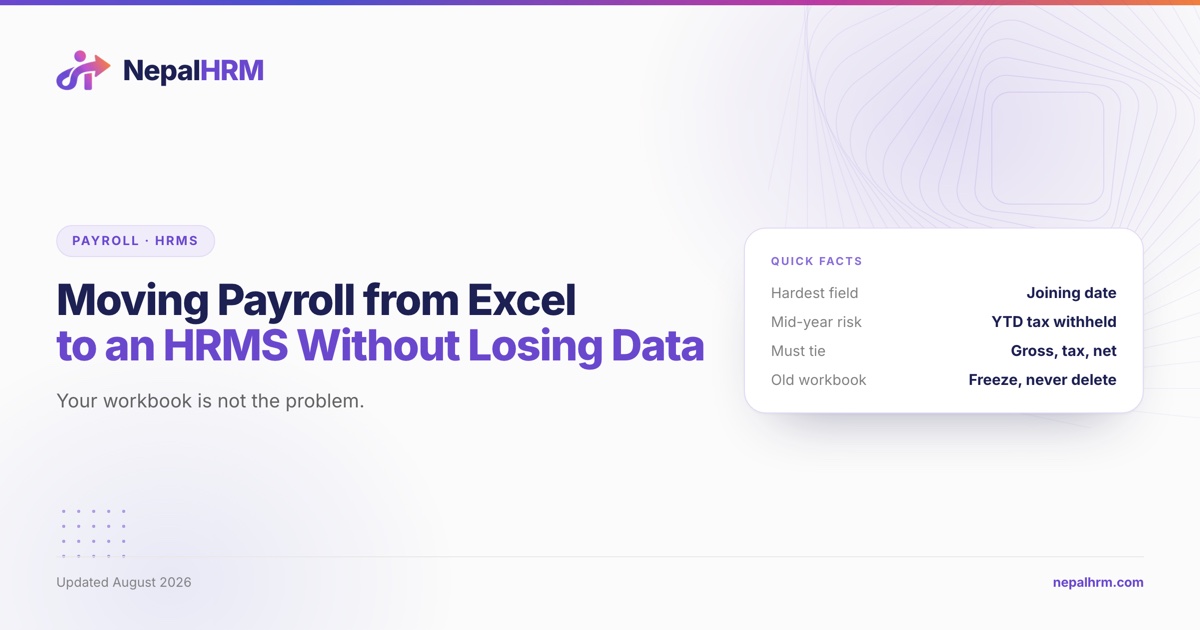
The spreadsheet is rarely what goes wrong in a payroll migration. A Nepali payroll workbook usually holds the salaries correctly, because somebody has been reconciling it against a bank transfer every month for years. What it does not hold is the six fields an HRMS needs and a spreadsheet never had a reason to carry, and the mid-year opening balances that decide whether the first tax withholding is right.
This is the field-by-field version of that move. The four-week schedule it fits inside is in our 30-day HRMS rollout plan, and the case for doing it at the Ashad-to-Shrawan boundary rather than mid-year is in our guide to switching HR and payroll software at the new fiscal year.
Table of Contents
- What your workbook has, and what an HRMS needs
- The six fields Excel never holds
- Dates are the migration, not the salaries
- Opening balances: the mid-year trap
- Four spreadsheet habits that break an import
- The reconciliation that decides whether it worked
- The cutover, in order
- What you actually lose, and why that is fine
- Frequently asked questions
- How do you move payroll from Excel to an HRMS?
- What is the biggest risk when migrating payroll data in Nepal?
- Can you switch payroll systems in the middle of the fiscal year?
- What opening balances are needed when migrating payroll mid-year?
- Should you keep the old payroll spreadsheet after migrating?
- How do you know a payroll migration worked?
- Why do imported salary amounts come in as zero?
- Sources
What your workbook has, and what an HRMS needs
Lay the two side by side and the shape of the work is obvious.
| The workbook holds | The HRMS needs |
|---|---|
| Name, sometimes in two spellings | One employee record with a stable employee code |
| A monthly amount per person | A salary structure: basic, allowances, and their split |
| A deduction column | A named component with a rule behind it |
| The month's tax figure | An annual projection, and the tax already withheld this year |
| A leave tab, if you are lucky | Per-employee, per-type leave balances on a cutover date |
| A bank column | Account number and branch, in the format the bank's file expects |
| Nothing about attendance | The attendance behind every payslip |
The right-hand column is not the software being demanding. Each item is what some statutory obligation actually requires. The salary structure exists because SSF, PF and gratuity are all assessed on basic salary and not on gross. The annual projection exists because TDS is projected across the fiscal year and spread, not charged month by month in isolation.
The six fields Excel never holds
These are the six that stall migrations, in the order they usually stall them.
1. A stable employee code. Spreadsheets are keyed on name, and names in Nepali payroll are the least stable field there is: one row spells a surname two ways, two employees genuinely share a name, and somebody married and changed theirs. Assign a code before exporting, write it back into the workbook, and use it as the key for every subsequent file.
2. Personal PAN per employee. Not the company's. The monthly withholding return, which the IRD publishes in the eTDS format, reports withheld tax against each individual's PAN, so the sum of its lines equals the amount deposited, employee by employee. An employee with no PAN is an unreportable line. Start collecting these on day 1 of the project.
3. Social Security Fund number. Required for every enrolled contributor. Section 4(2) of the Contribution Based Social Security Act 2074 runs contributions from the day the worker is listed, not from the day they joined, so a missing number is not just a blank cell.
4. Bank account number with the branch. The branch is the field most workbooks skip, and it is the field that makes the bank reject a transfer row. Verify the pair together before the first run, not on payday.
5. Joining date, in a known calendar. See the next section. This is the one that quietly corrupts everything.
6. Leave opening balances, per employee, per type. Weekly, public, home, sick, maternity, maternity-care, mourning and substitute leave each accrue and carry differently. Our guide to every leave type under the Labour Act sets out which ones carry forward at all. A migration that loads zero for everybody hands every employee a grievance in month one.
Dates are the migration, not the salaries
Nepali payroll runs on two calendars at once. Salaries are agreed and paid in BS months, statutory deadlines are counted in BS months, and almost every piece of software stores dates in AD internally.
The failure is specific and it is silent. A BS date read as an AD date is still a valid date. A joining date of 2075-04-01 imported as an AD date becomes 1 April 2075, or, depending on the reader, 2075 gets truncated and you get something in 1975. Nothing errors. The row loads. And then:
- Gratuity and service length are wrong, because both are counted from the joining date.
- Probation dates are wrong, so the probation period either never ends or ended before it started.
- Leave accrual is wrong for anybody whose entitlement depends on completed service.
- Contract expiry never fires, because the end date is decades away.
Three rules make this survivable:
- Declare the calendar per column, once, in writing. Not per file, and not "the vendor will know". Joining date BS, date of birth AD, cutover date BS: whatever the truth is, write it at the top of the sheet.
- Never let a spreadsheet auto-format a date column. Set it to text before you type anything into it. Excel converting
2081-03-15to a serial number is not recoverable by looking at it. - Spot-check the extremes after import. Your longest-serving employee and your most recent joiner. If both service lengths are right, the column converted correctly.
The same problem shows up in attendance, where the device's own export may carry either calendar. A saved import profile that records which column is the date and whether that cell is BS or AD is the honest fix for a device that does not integrate directly, and it means the mapping is decided once rather than re-guessed every month.
Opening balances: the mid-year trap
Migrating on Shrawan 1 means every year-to-date figure is zero, which is why the fiscal-year boundary is the easy answer. Migrating in Magh means carrying six months of history across, and one of those figures is expensive to get wrong.
Nepali income tax is projected over the whole fiscal year and spread across its months. If the new system starts on Magh 1 and knows only about the six months in front of it, it projects an annual income of six months' salary. Under FY 2083/84 slabs that projection can land entirely inside the first band, which is the social security tax band and is waived for SSF contributors, and the monthly withholding falls to zero.
Take an employee on a gross of NPR 150,000 a month, 60% basic, enrolled in the SSF:
| Correct, full year | New system, projection restarted on Magh 1 | |
|---|---|---|
| Annual taxable income | 1,681,200 | 840,600 |
| Annual tax | 86,240 | 0 |
| Monthly withholding | 7,187 | 0 |
| Withheld Shrawan to Poush | 43,122 | 43,122 |
| Withheld Magh to Ashad | 43,118 | 0 |
| Shortfall at year end | 43,118 |
Nobody notices, because a payslip whose tax line drops to zero does not generate a complaint. It surfaces at year end, as a bill the employee did not budget for and a withholding return that does not reconcile.
So four balances travel with every employee across a mid-year cutover:
| Balance | Why it cannot be reconstructed later |
|---|---|
| Year-to-date gross | The projection's starting point |
| Year-to-date tax withheld | Decides every remaining month's withholding |
| Year-to-date SSF, PF or CIT contributed | Feeds the retirement deduction, capped at NPR 500,000 |
| Loan or advance outstanding | The recovery schedule restarts without it |
Check one employee's result against the salary tax calculator before you accept the first run. The figures above are generated from lib/nepal-payroll.ts, the module behind that calculator, on FY 2083/84 slabs.
Four spreadsheet habits that break an import
One sheet per employee. Common in Nepali payroll workbooks, and unimportable as it stands. Flatten to one row per employee per month before exporting, with the employee code as the key.
Merged cells in the header. A merged header means the importer cannot tell which column is which, and a saved column mapping cannot be reused next month. Unmerge, then use one header row.
Formulas where values belong. Export values, not formulas. A cell that reads =C4*0.11 exports as a number in one reader and as text in another, and the difference is a payroll that is silently short.
Amounts stored as text. Numbers typed with a comma, a space or a trailing NPR are text. They import as zero or not at all, and a zero in a deduction column looks exactly like a deliberate exemption.
The reconciliation that decides whether it worked
Run the last month you have already paid, in the new system, from the migrated data. Then tie three totals.
| Total | Must equal |
|---|---|
| Gross | The gross in your workbook, to the rupee |
| Statutory deductions | Employee SSF or PF, plus tax withheld |
| Net | The exact amount your bank actually transferred |
The third is the one that cannot be argued with, because a bank statement is an external record. If net matches the transfer that left your account, the migration carried the data.
When it does not match, the size of the gap names the fault:
- A gap that is 11% or 10% of one basic is one employee whose retirement enrolment did not migrate.
- A gap that is a round percentage of the whole gross is a rate configured wrong, not a data problem.
- A gap on exactly one employee is usually a joining date, a mid-month change, or a component that did not map.
- A gap that moves when you re-run is a date parsed differently on each pass. Go back to the calendar declaration.
Our six SSF mistakes covers the enrolment and base errors that produce the first two, with the rupee cost of each.
The cutover, in order
- Pick the cutover date and make it the first day of a month. Shrawan 1 if you can wait for it.
- Freeze the workbook on the day before. Read only, one named person able to unfreeze it, and a dated copy kept outside the working folder.
- Export, map, import, reconcile. In that order, and do not start the next step until the previous one balances.
- Run one month in parallel and tie the three totals.
- Go live, and keep the frozen workbook for the rest of the fiscal year at minimum. It is your evidence of what was paid before the cutover, and the withholding return for the year covers both halves.
- Do not keep updating both. Two live systems produce two answers within a month, and nobody can then say which payslip was the real one.
What you actually lose, and why that is fine
Some things genuinely do not come across, and pretending otherwise is how a migration ends in an argument.
Formula history. The logic embedded in cells becomes configuration, and configuration is explicit. That is a gain, but it means somebody has to state the rule that a formula only implied. The allowance that was =basic*0.4 for everybody except three people needs those three exceptions named.
Manual adjustments nobody documented. Every long-running workbook has a cell that was overtyped once for a reason that is now lost. Find them before the cutover by comparing each employee's computed amount with the amount actually paid. The rows that differ are your undocumented rules.
Arrears and one-off corrections. These are events, not balances. Decide explicitly whether each open arrear is paid out before the cutover or carried in as an opening item. Carrying them silently is how a payslip ends up with an amount no rule explains.
What this looks like with NepalHRM. Integration is file-based: CSV and Excel import and export, saved import profiles so a device's or a bank's own layout maps once rather than every month, and bank transfer file export. SSF is applied at 11% employee and 20% employer of basic automatically, the FY 2083/84 slabs and the NPR 500,000 retirement ceiling are applied per employee, and the IRD eTDS file is produced for upload. Free onboarding and data migration come with every plan, and the Free plan covers up to 10 employees. See how payroll works, or book a walkthrough with a copy of your own workbook.
Frequently asked questions
How do you move payroll from Excel to an HRMS?
Assign a stable employee code, collect the six fields a workbook never held (employee code, personal PAN, Social Security Fund number, bank account with branch, joining date in a declared calendar, and leave opening balances), export values rather than formulas, import, then reconcile a month you have already paid until gross, statutory deductions and net tie to the rupee against the bank transfer that actually left your account.
What is the biggest risk when migrating payroll data in Nepal?
Dates. A BS date read as an AD date is still a valid date, so nothing errors, and the wrong joining date then corrupts gratuity, service length, probation end dates, leave accrual and contract expiry at once. Declare the calendar per column in writing before exporting, and spot-check your longest-serving employee and newest joiner after import.
Can you switch payroll systems in the middle of the fiscal year?
Yes, but year-to-date gross and year-to-date tax withheld have to migrate as opening balances. Without them the new system projects annual tax from the remaining months only. On a gross of NPR 150,000 under FY 2083/84 slabs, restarting the projection at Magh leaves the year NPR 43,118 short, and it surfaces as an unexpected bill at year end.
What opening balances are needed when migrating payroll mid-year?
Four per employee: year-to-date gross, year-to-date tax withheld, year-to-date SSF, PF or CIT contributed, and any loan or advance outstanding. Leave balances per type are a fifth, and they are the one employees notice immediately.
Should you keep the old payroll spreadsheet after migrating?
Keep it, frozen and read only, for at least the rest of the fiscal year. It is the only evidence of what was paid before the cutover, and the withholding return for the year covers both halves. What you must not do is keep updating it alongside the new system.
How do you know a payroll migration worked?
Three totals tie for a month you have already paid: gross matches the workbook, statutory deductions match the contributions and tax withheld, and net matches the exact amount the bank transferred. Net against the bank statement is the check that cannot be argued with, because it is an external record.
Why do imported salary amounts come in as zero?
Almost always because the cell is text rather than a number. Amounts typed with a comma, a space or a currency prefix are text to a spreadsheet, and they import as zero or not at all. A zero in a deduction column then looks identical to a deliberate exemption, which is why it survives review.
Sources
- Contribution Based Social Security Act, 2074 (2017), consolidated Nepali text as amended through 2082: ssf.gov.np. Section 4(2) on contributions running from the date of listing, retrieved 2026-08-07.
- Social Security Scheme Operation Procedure, 2075, including the fifth amendment: ssf.gov.np. Section 25 for the 11% employee and 20% employer contribution on basic, retrieved 2026-08-07.
- Labour Act, 2074 (2017), consolidated Nepali text as amended through 2082, Nepal Law Commission: lawcommission.gov.np. Sections 52 and 53 on provident fund and gratuity, and Chapter 9 on leave, retrieved 2026-08-07.
- Income Tax Act, 2058 (2002), withholding provisions, for the annual projection of salary tax and the employee-level reporting behind the monthly withholding return.
- Every rupee figure above is generated from
lib/nepal-payroll.ts, the module behind this site's salary tax, payslip and SSF calculators, on FY 2083/84 slabs with a 60% basic structure.
Related reading: HRMS implementation in Nepal: a 30-day rollout plan · HRMS buying checklist for Nepal · Switching HR and payroll software at the new fiscal year