

Employee information can quickly spread across Excel sheets, email threads, shared drives, paper files, and chat messages. When HR needs to verify a bank account, find a signed document, check a reporting manager, or confirm a salary update, simple work can turn into a long search.
A well-built employee database gives HR one reliable place to manage staff information from joining to exit. For companies in Nepal, a clean database also helps keep identity details, PAN information, bank data, work history, attendance setup, leave records, and pay-related information easier to review.
The goal is not to collect every possible detail about an employee. The goal is to keep the right information in the right structure, protect sensitive data, and update records before small errors become payroll, approval, or compliance problems.
Table of Contents
- What Is an Employee Database?
- Why a Clean Employee Database Matters
- What Should an Employee Database Include?
- Employee Database Setup Flow
- 1. Audit existing records
- 2. Decide the master record
- 3. Standardize field names
- 4. Clean data before import
- 5. Set access and review rules
- 8 Ways to Build Your Employee Database
- 1. Define the HR Work Your Database Must Support
- 2. Keep Only Useful Employee Details
- 3. Use the Same Structure for Every Profile
- 4. Attach Documents to the Right Profile
- 5. Connect Profiles With Attendance and Leave
- 6. Keep Payroll Details Accurate
- 7. Control Access to Sensitive Data
- 8. Review Records on a Set Schedule
- Can HR Build an Employee Database in Excel?
- Build Your Employee Database Without Scattered Files
- Common Employee Database Mistakes That Create HR Confusion
- Duplicate or Incomplete Profiles
- Outdated Role or Manager Details
- Missing or Hard-to-Find Documents
- Wrong Pay or Bank Information
- Separate Leave and Work Schedule Data
- Too Much Access and No Regular Review
- Conclusion
What Is an Employee Database?
An employee database is a structured system for storing and managing employee information. It usually includes personal details, job information, employment history, documents, attendance setup, leave details, salary records, assigned assets, and exit information.
A strong employee database should do more than store names and phone numbers. It should help HR complete daily tasks, review monthly updates, manage staff changes, prepare reports, and support employees without searching across different files.
Why a Clean Employee Database Matters
Employee records can contain identity documents, bank information, contact details, employment records and other private data. HR should collect only the information needed for employment, payroll, legal or operational purposes, explain why it is collected, restrict access and use it only for the stated purposes.
Accurate records also help other teams work better. Finance can verify bank and salary details before month-end work, managers can confirm reporting lines, and employees can get faster support when HR has updated information.
Even small mistakes can create extra work. A wrong bank account, missing PAN details, old manager name, or misplaced contract can lead to payment issues, approval confusion, repeated follow-up, and unnecessary pressure during audits or internal reviews.
What Should an Employee Database Include?
An employee database should include only the details your HR team needs to identify employees, manage work changes, prepare salary records, track documents, and support company processes. The exact fields can vary by company size, industry, and internal policy.
Category | Employee Database Checklist |
Basic Details | Employee ID |
Job Details | Department |
HR and Payroll Details | PAN details |
Documents and Work Records | Contract or appointment letter |
Employee Database Setup Flow
Before HR starts adding employee details, the database needs a simple setup plan. A clear setup flow keeps the database useful from the first day and avoids messy records after migration.
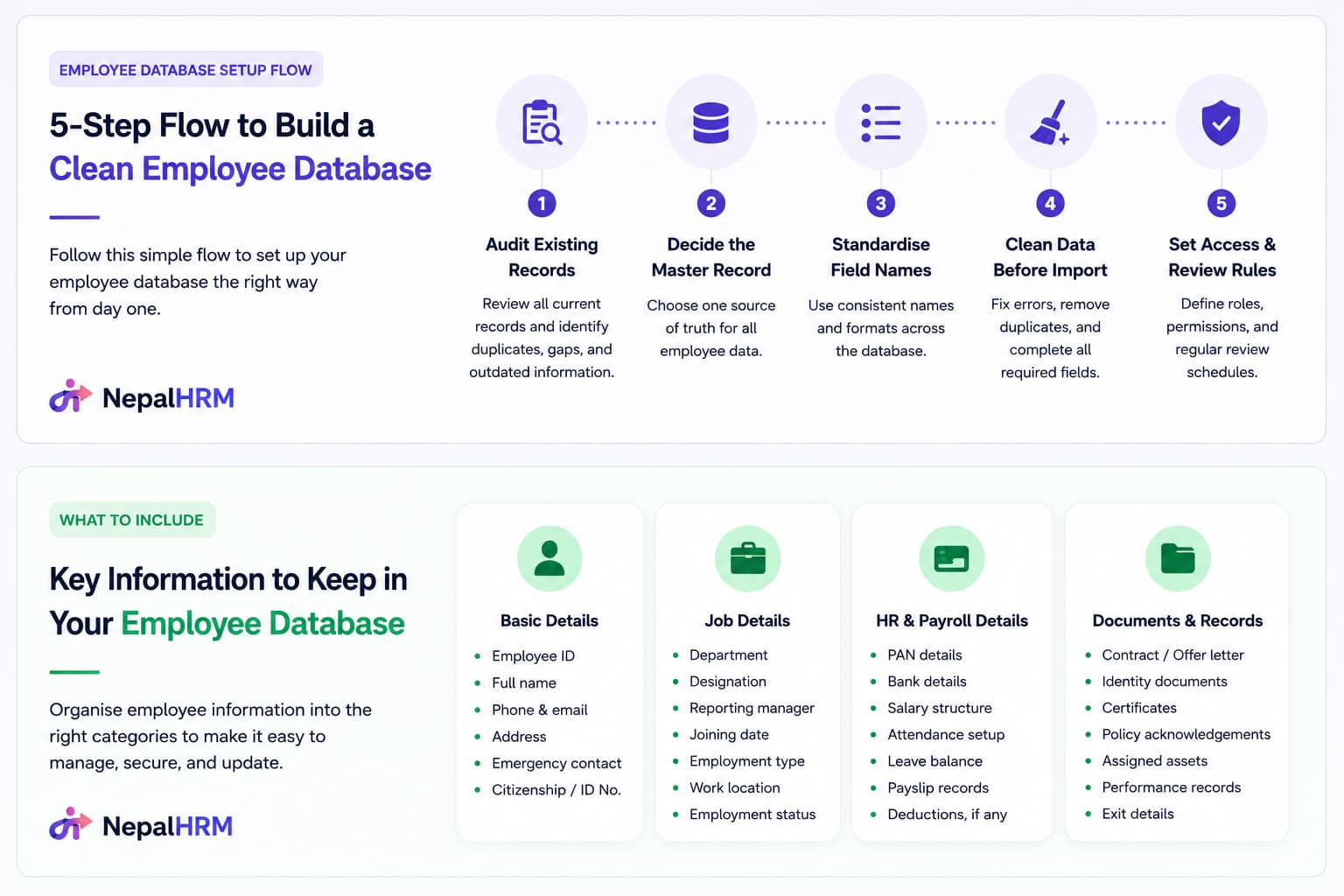
1. Audit existing records
Check current Excel sheets, folders, paper files, and old HR software records. Identify duplicate profiles, missing fields, outdated salary details, and documents that still need verification.
2. Decide the master record
Choose one place as the main source of truth for employee data. HR should update that record first instead of allowing several files to carry different versions of the same information.
3. Standardize field names
Use the same terms for departments, positions, branches, employment types, and employee status. Avoid mixed entries such as "Sales," "Sales Dept," and "Sales Department" for the same team.
4. Clean data before import
Fix spelling mistakes, remove duplicates, complete required fields, and confirm sensitive details before moving information into the final database.
5. Set access and review rules
Decide who can view, add, edit, approve, or export employee data. Also, set a review routine so records stay accurate after the first setup.
8 Ways to Build Your Employee Database
An employee database is more than a staff list. HR needs a structure that supports daily work, protects private information, and stays accurate as the company grows.
Well-planned records help HR answer important questions faster.
● Who reports to whom?
● Which document is missing?
● Which salary setup is active?
● Who has already resigned?
A clear database makes those answers easy to find.
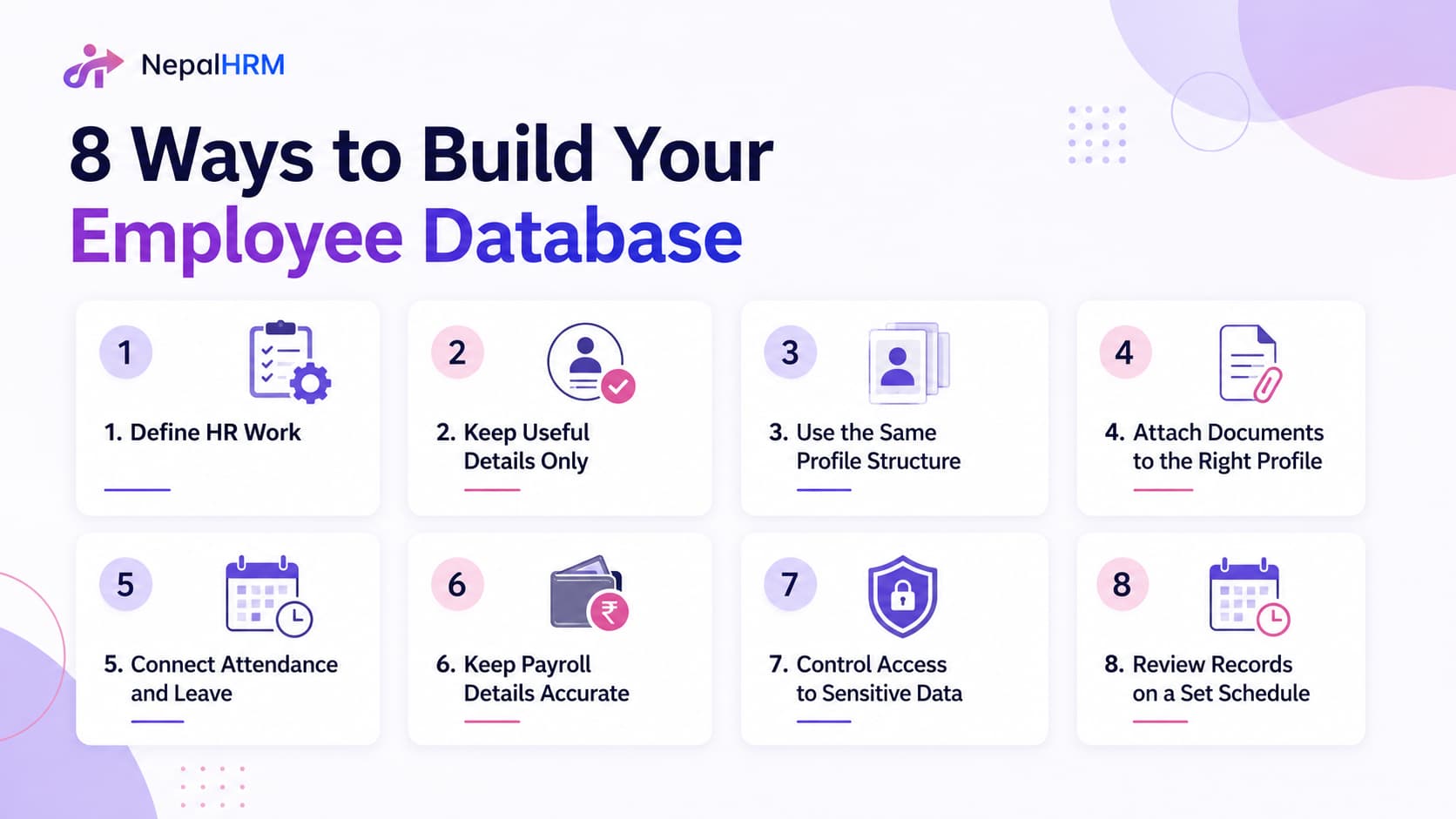
1. Define the HR Work Your Database Must Support
Before adding fields, decide what your employee database needs to handle. A small company may only need basic profiles, key documents, leave details, work schedules, and salary information. A growing company may also need onboarding records, asset details, performance notes, helpdesk history, and exit information.
Every field should have a clear purpose. If a detail does not help HR manage pay, approvals, compliance, employee support, reports, or company records, leave it out.
2. Keep Only Useful Employee Details
A good database should not collect every possible detail about a person. HR should only add information needed for joining, salary setup, work schedules, leave, communication, key documents, reports, and employee changes.
Extra fields make profiles harder to update and easier to ignore. A focused database keeps information cleaner, faster to review, and more useful for daily HR work.
3. Use the Same Structure for Every Profile
Employee information becomes easier to manage when every profile follows the same structure. If each profile has random fields, HR may struggle to review details, update changes, or hand over work to another team member.
A clear profile usually includes personal details, job information, salary setup, documents, and work history. When every profile follows the same layout, HR can find the right information without guessing where to look.
4. Attach Documents to the Right Profile
Important employee files should not stay scattered across email, chat, paper folders, or shared drives. Contracts, identity proofs, appointment letters, certificates, and policy acknowledgments should stay linked to the correct employee profile.
When documents sit in the right place, HR can retrieve them during onboarding, salary setup, internal checks, or exit work without asking different people for the same file again.
5. Connect Profiles With Attendance and Leave
Attendance and leave details should not sit in a separate sheet with no link to employee profiles. Connected records help HR check whether a person is active, on leave, assigned to a shift, or missing a clock-in without switching between files.
Leave balances, shift details, late arrivals, holidays, and correction requests also become easier to review. This helps HR answer employee and manager questions faster.
6. Keep Payroll Details Accurate
Payroll becomes risky when salary details stay in a separate spreadsheet. For companies in Nepal, salary structure, PAN details, bank information, deductions, reimbursements, loans, and pay history should stay connected to the right employee profile.
Wrong bank details, outdated salary structures, or missing PAN information can affect payslips, finance reviews, and month-end work. Accurate pay records help reduce errors and avoid repeated corrections.
7. Control Access to Sensitive Data
Employee profiles include salaries, bank details, private documents, and personal contact information. Not everyone in the company should view or edit all of these details.
Set access levels before the database goes live. Managers may only need team-level attendance and leave details, finance may need pay-related information, and HR may need full profile access. Role-based access protects sensitive data without slowing daily work.
8. Review Records on a Set Schedule
Employee data becomes unreliable when HR creates profiles once and never updates them. Please update the profile with promotions, salary changes, department transfers, manager changes, document renewals, resignations, and exits in a timely manner.
A simple review routine keeps the database useful:
Check new employee profiles within the first week.
Confirm missing or expired documents.
Update salary or bank details after approved changes.
Correct reporting manager after any role or team change.
Review shift and attendance setup for active employees.
Archive exited employees with a complete final profile.
Can HR Build an Employee Database in Excel?
HR teams can build a basic employee database in Excel when the company is small and the data is simple. Excel can work for a short time if HR only needs a staff list, contact details, joining dates, and a few basic fields.
Excel becomes harder to manage when the team grows, salaries change, documents increase, managers need approvals, and employees start requesting updates regularly. Shared spreadsheets can also create duplicate entries, accidental edits, weak access control, and old versions that nobody fully trusts.
Situation | Better Option |
Small team with basic details | Excel can work if one HR person manages a simple staff list. |
Growing team with documents and salary setup | An HRMS becomes safer because profiles, files, roles, and updates stay connected. |
Multiple departments or branches | A system helps HR manage reporting lines, access levels, and profile updates without scattered versions. |
Regular payroll, leave, assets, and exits | An HRMS reduces repeated manual checks and makes historical records easier to review. |
Common Employee Database Mistakes That Create HR Confusion
An employee database can look organized on the surface, but still create problems if the data is incomplete, outdated, duplicated, or hard to trust. HR teams usually notice these issues when salary work takes longer, managers ask the same questions again, or employees keep following up for simple updates.
The goal is not only to store information. A useful database should help the team find the right answer quickly without checking several files, messages, or old spreadsheets.
Duplicate or Incomplete Profiles
Duplicate profiles make it hard to know which employee record is correct. Incomplete profiles create the same problem because HR still has to search elsewhere for missing bank details, PAN information, emergency contacts, job details, or joining records. HR should check new profiles early and clean duplicate entries before importing old data.
Outdated Role or Manager Details
Promotions, transfers, department changes, and manager updates should reflect in the profile as soon as they are approved. Old job details can confuse approvals, team planning, shift setup, and internal communication.
Missing or Hard-to-Find Documents
Employee documents lose value when HR cannot find them quickly. A file may exist somewhere, but poor naming, wrong folders, or scattered storage can still delay onboarding, salary setup, internal checks, or exit work.
Wrong Pay or Bank Information
Small errors in pay or bank details can create serious month-end problems. A wrong account number, missing PAN details, outdated salary amount, or incorrect deduction affects payslips and finance reviews.
Separate Leave and Work Schedule Data
Leave, shift, and work-hour details become harder to manage when they sit outside the employee profile. Keeping these details connected gives HR a clearer view of eachperson'ss current work status.
Too Much Access and No Regular Review
Employee data becomes risky when too many people can view or edit it. Monthly or quarterly checks help HR catch old manager names, expired documents, inactive accounts, and missing updates before they affect daily work.
Conclusion
A clean employee database helps HR find the right details, update changes on time, and support people through every stage of work. The best database is not the one with the most fields; it is the one your team can trust when handling onboarding, salary review, document checks, approvals, and exits.
Start with useful fields, keep every profile consistent, control access, and review information on a fixed schedule. NepalHRM helps businesses keep employee profiles, pay details, documents, assets, and daily HR work connected in one system so HR teams can work with cleaner information and fewer manual checks.


