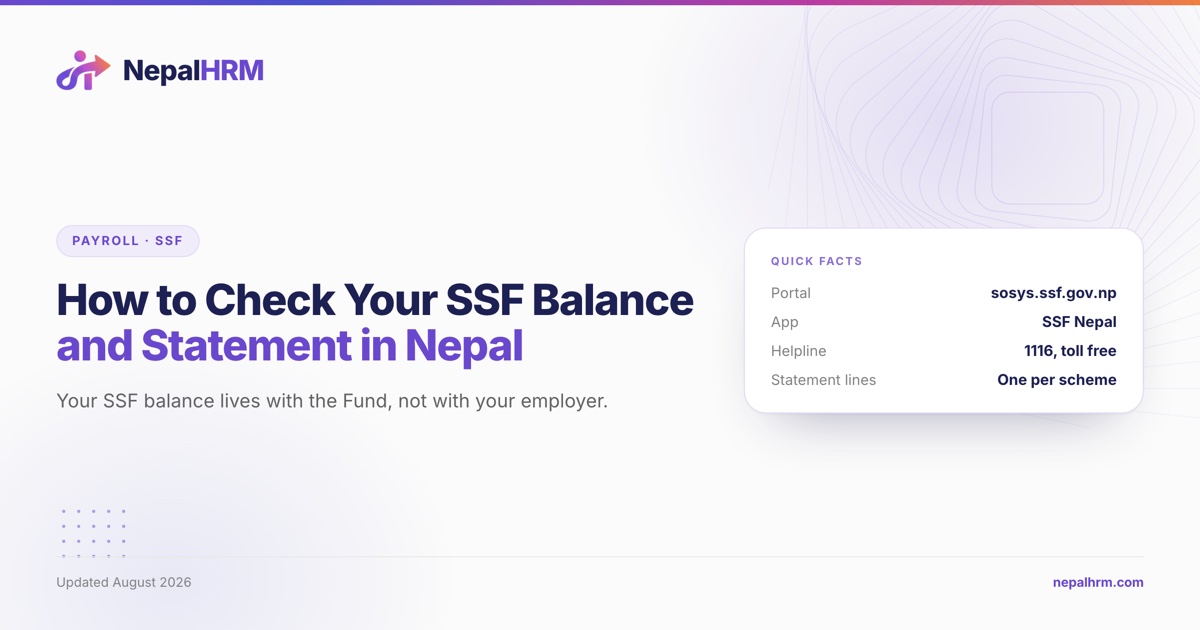
Your SSF balance is held by the Social Security Fund, not by your employer, and there are two places to read it: the contributor login at sosys.ssf.gov.np and the Fund's SSF Nepal mobile app. Your payslip shows what was deducted; only the Fund's own record shows what was actually deposited, and those are different questions.
This guide covers both channels, why a statement shows several lines rather than one balance, why this month's contribution is not there yet, and what to do when the totals do not agree. For what should be going in each month, our SSF contribution calculator works it out from a basic salary.
Table of Contents
- Where the balance actually lives
- Channel 1: the contributor portal
- Channel 2: the SSF Nepal app
- Why the statement has several lines
- Reading the statement against your payslip
- When the number is genuinely wrong
- What your employer's HR system can and cannot tell you
- Frequently asked questions
- How can I check my SSF balance in Nepal?
- Is there an SSF mobile app in Nepal?
- Why does my SSF statement show several different amounts?
- Why is this month's SSF contribution not showing?
- What can I do if my employer is not depositing SSF?
- Does my SSF balance move when I change jobs?
- Can I see my SSF balance in my company's HR software?
- Sources
Where the balance actually lives
Three facts about the architecture explain most confusion.
Every contributor has a social security number. Section 20(6) and Section 41 of the Contribution Based Social Security Act 2074 give each listed worker their own number. That number, not your employee ID, is your identity with the Fund.
The record is centralised. Section 23(1) requires the listing records of everyone enlisted with the Fund to be kept on an integrated computer system. Section 23(2) restricts the use of the personal and biometric information in it to the Fund's own purposes, and Section 23(3) makes a narrow exception for an authorised officer's demand in an investigation or judicial proceeding.
Your balance follows you, not your job. Because contributions sit against your social security number, changing employer does not restart anything. Section 24 simply requires your old employer to inform the Fund within one month that you have left.
Channel 1: the contributor portal
The Fund's online system is at sosys.ssf.gov.np, and it carries two separate doors, linked from the front page of ssf.gov.np:
| Login | For | Address |
|---|---|---|
| Contributor Login | Employees | sosys.ssf.gov.np/Modules/REGISTRATION/ContributorLogin.aspx |
| Employer Login | Companies | sosys.ssf.gov.np/Modules/REGISTRATION/EmployerLogin.aspx |
Use the contributor door. The employer door is for the person who files the monthly contribution, and it shows the company's contributor list rather than an individual statement. Our guide to monthly SSF filing covers that side.
If your login does not work, that is usually an identity problem rather than a password problem: either your employer has not enlisted you yet, or your KYC is incomplete. The Fund publishes kyc@ssf.gov.np for KYC and itsupport@ssf.gov.np for system access, alongside a toll-free 1116 on NTC and Ncell.
Channel 2: the SSF Nepal app
The Fund publishes a mobile app, SSF Nepal, linked from ssf.gov.np on both stores: on the App Store, and on Google Play under the package np.gov.ssf. It is the same contributor record, on a phone, and for most employees it is the faster of the two channels.
A caution worth stating plainly: search either store for "SSF" and you will find unrelated apps. The links published on ssf.gov.np are the ones to follow, and the Fund's own listing is the only one that will hold your contribution record.
Why the statement has several lines
Because the law requires it. Section 12(1) of the Act says a separate account shall be kept for each social security plan, and Section 10(1) names the plans the Fund operates. So your statement is not one savings balance; it is a set of scheme accounts.
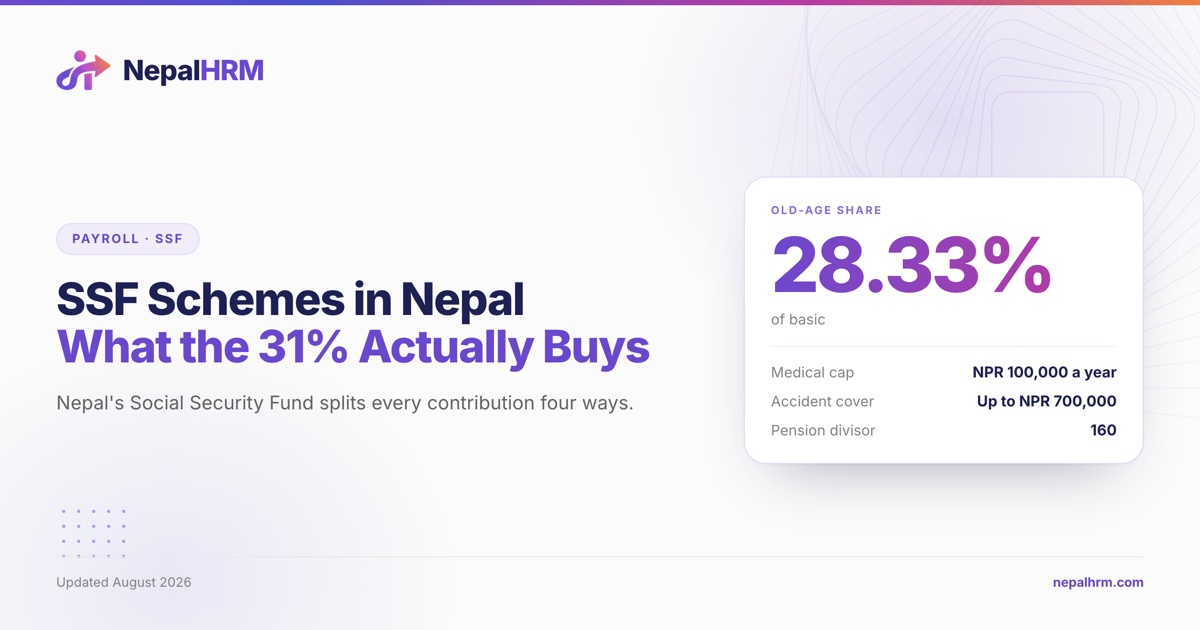
The 31% of basic salary that reaches the Fund each month is allocated as follows:
| Scheme | Share of basic | What it is |
|---|---|---|
| Medical treatment, health and maternity protection | 1.20% | Insurance |
| Accident and disability protection | 0.80% | Insurance |
| Dependent family protection | 0.67% | Insurance |
| Old-age protection | 28.33% | Accumulating |
| Total | 31.00% |
That is why the old-age line looks like almost all of the money: it is. The other three are premiums for cover you hold while you are contributing, not a pot you are building. And 28.33% is not an arbitrary number. It is exactly the 10% employee plus 10% employer provident fund under Section 52(1) of the Labour Act plus the 8.33% gratuity under Section 53(1), which is where those two entitlements went. Our guide to gratuity in Nepal works through that identity.
See the Social Security Fund for the term, and our guide to the SSF schemes for what each line actually buys.
Reading the statement against your payslip
Line them up in this order, because the mismatch is usually in the first row rather than the last.
| On the payslip | On the SSF statement | Should it match? |
|---|---|---|
| Basic salary | The contribution base | Yes. SSF is on basic, never on gross |
| SSF deduction, 11% of basic | Employee share | Yes |
| (not shown) | Employer share, 20% of basic | It never appears on a payslip |
| Total | 31% of basic | Yes |
Three normal-looking discrepancies that are not errors:
The current month is missing. Section 4(4), as amended in 2082, requires the contribution to reach the Fund within twenty-five days of the end of the month it relates to. Shrawan's contribution can legitimately arrive most of the way through Bhadra.
A part-month is smaller. Section 4(3) requires monthly deposits and pro-rates them where a full month is not due, so a joining or leaving month is smaller by design.
A no-pay month still shows a contribution. Section 8(1) requires the employer to deposit the worker's own share for up to three months where the worker received no remuneration, and Section 8(2) lets the employer recover it from later pay.
When the number is genuinely wrong
Escalate in this order.
1. Your employer's payroll. Confirm the base is basic salary rather than gross, and that the deduction is 11%. Most disputes end here.
2. The Fund's reconciliation desk. The Fund publishes a hisab milan (account reconciliation) channel: reconcsupport@ssf.gov.np, with a published mobile line, plus collection@ssf.gov.np for the collection branch. For a tax statement, tax@ssf.gov.np.
3. An application to the Fund. If your employer has not enlisted you at all, Section 20(2) lets you apply to the Fund directly, and Section 20(3) lets the Fund set a period and order the employer to enlist you.
4. Recovery. Section 9(1) recovers unpaid contributions from the employer with ten percent interest. Section 17(1) lets the Executive Director order deposits from the date the employment relation was established, and where the employment has already ended, order the employer to pay the worker the equivalent of the benefits. Section 17(2) has the Fund recover and pay the worker if the employer does not.
5. In person. The Fund's head office is at Thapathali, Kathmandu, with branch offices at Kanchanbari Chowk in Biratnagar and on Airport Road in Jitpur Simara. Numbers and emails for each are published on ssf.gov.np.
A note on the Fund's website: several of its own explainer pages, including the ones headed "what documents are required to be listed" and "the amount to be deposited in the fund", are currently placeholders with no content. The working channels are the portal, the app, and the desks above.
What your employer's HR system can and cannot tell you
An HR system is the right place to see the employer's side of the record: the 11% deducted on each payslip, the 20% recorded against the same month, and the running total for the fiscal year. That is useful, and it is what you check the Fund's statement against.
It is not the balance. No HR product holds your SSF account, and any that claims to is describing its own ledger. The authoritative record is the Fund's, for the same reason your bank statement rather than your budgeting app is authoritative about your bank account.
If the payslip and the Fund disagree, the payroll is where it starts. NepalHRM calculates the 11% employee and 20% employer SSF on basic on every run, shows both sides on the payslip, and prepares the deposit figures, so the number you reconcile against is produced the same way every month. See how payroll works, or check any basic salary in the SSF calculator.
Frequently asked questions
How can I check my SSF balance in Nepal?
Through the Social Security Fund's own channels: the Contributor Login at sosys.ssf.gov.np, or the Fund's SSF Nepal mobile app, both linked from ssf.gov.np. Your employer's payslip shows what was deducted, not what the Fund received.
Is there an SSF mobile app in Nepal?
Yes. The Fund publishes the SSF Nepal app and links it from ssf.gov.np, on the App Store and on Google Play under the package np.gov.ssf. Follow the links on the Fund's own site rather than searching the stores, since unrelated apps share the acronym.
Why does my SSF statement show several different amounts?
Because Section 12(1) of the Contribution Based Social Security Act 2074 requires a separate account for each social security plan. Section 25 of the Social Security Scheme Operation Procedure 2075 splits the 31% of basic salary across medical, health and maternity protection at 1.20%, accident and disability at 0.80%, dependent family at 0.67%, and old-age protection at 28.33%.
Why is this month's SSF contribution not showing?
It is probably not late. Section 4(4), as amended in 2082, gives the employer until twenty-five days after the end of the month to deposit the contribution for that month, so the most recent month often appears only part-way through the next one.
What can I do if my employer is not depositing SSF?
Section 20(2) lets a worker who has not been enlisted apply to the Fund directly, and Section 20(3) lets the Fund order the employer to enlist them. Section 9(1) recovers unpaid contributions with ten percent interest, and Section 17 lets the Fund order back-deposits from the date the employment relation started, or recover and pay the worker directly.
Does my SSF balance move when I change jobs?
No. Contributions sit against your own social security number under Sections 20(6) and 41, so the record follows you. Your former employer must notify the Fund within one month that you have left, under Section 24, and your new employer enlists you within three months under Section 20(1).
Can I see my SSF balance in my company's HR software?
You can see your employer's side of it: the 11% deducted, the 20% recorded, and the yearly running total. The balance itself is held by the Fund, and only the Fund's statement is authoritative.
Sources
- Contribution Based Social Security Act, 2074 (2017), consolidated Nepali text as amended through 2082, published by the Social Security Fund: ssf.gov.np. Sections 4, 8, 9, 10, 12, 17, 20, 23, 24 and 41 were read from that text, retrieved 2026-08-06.
- Contributor and employer portals at sosys.ssf.gov.np, the SSF Nepal app links, the toll-free 1116 line, the branch office addresses and the published support mailboxes are all taken from ssf.gov.np, checked 2026-08-06.
- Social Security Scheme Operation Procedure, 2075, including the fifth amendment: ssf.gov.np. Section 25, the four-way allocation of the 31%, was read from that text, retrieved 2026-08-06. The fourth amendment applies from Baishakh 1, 2082.
Related reading: SSF registration in Nepal: an employer's step-by-step · The SSF schemes: what the 31% buys · Monthly SSF filing in Nepal